
.png)
Description
Download AI Wedding Toast – AI‑Powered Speech Generator for Weddings
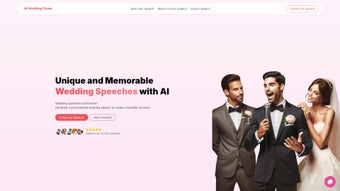
Planning a wedding is a whirlwind of emotions, details, and unforgettable moments. Among the most cherished traditions is the heartfelt speech that friends and family deliver on the big day. Yet, many people struggle to find the right words, tone, and structure to convey their love and gratitude. AI Wedding Toast steps in as a modern solution, turning the daunting task of speechwriting into a smooth, creative process powered by GPT‑4. This web‑based application lets you select the role you’re speaking for—best man, maid of honor, groom, or any other—then guides you through a simple questionnaire to capture essential details such as names, anecdotes, and the overall vibe you want to convey. Within seconds, the AI crafts a personalized draft that feels authentic, warm, and perfectly suited to the occasion. The platform also includes an AI‑enhanced text editor, allowing you to fine‑tune the language, insert personal stories, and adjust the length to fit your allotted time. Whether you’re a seasoned speaker or a first‑timer, AI Wedding Toast offers a secure, free, and instantly accessible way to produce a memorable toast that resonates with the audience and honors the couple. The tool’s intuitive interface, combined with the power of advanced language models, ensures that every speech feels unique and professionally written, while still reflecting your personal voice.
Key Features of AI Wedding Toast
- Role‑Specific Templates: Choose from best man, maid of honor, groom, bride, parent, or custom roles to receive a speech framework tailored to your perspective.
- AI‑Driven Draft Generation: Powered by GPT‑4, the engine produces natural‑sounding paragraphs that incorporate your input details.
- Interactive Questionnaire: Simple prompts collect names, relationship highlights, funny stories, and the emotional tone you desire.
- Real‑Time Editing Suite: An AI‑enhanced text editor lets you modify, rearrange, and personalize the draft without leaving the browser.
- Story Injection Tool: Add specific anecdotes or memories, and the AI will weave them seamlessly into the speech.
- Length & Timing Controls: Set target word count or speaking time, and the AI will adjust the draft accordingly.
- Multi‑Device Accessibility: Works on any modern browser, so you can craft your toast on a desktop, tablet, or smartphone.
- Secure Data Handling: All user inputs are encrypted, and no personal data is stored after the session ends.
- Free Tier & Premium Upgrades: Generate up to three speeches per month at no cost; optional premium plans unlock unlimited drafts and advanced styling.
- Export Options: Download your final speech as a PDF, Word document, or plain text for easy printing or offline review.
How to Install and Use AI Wedding Toast
Because AI Wedding Toast is a web‑based service, there is no traditional installation process. Getting started takes only a few minutes:
- Visit the Website: Open your preferred browser (Chrome, Edge, Safari, Firefox) and navigate to aiweddingtoast.example.com. The site loads instantly, thanks to lightweight design and CDN optimization.
- Create a Free Account (Optional): While you can generate a speech without an account, signing up allows you to save drafts, track revision history, and access premium features later. Registration requires only an email address and a password; social logins are also supported.
- Select Your Role: Choose from the dropdown menu—best man, maid of honor, groom, etc. Each role triggers a custom set of prompts that guide the AI to adopt the appropriate tone and perspective.
- Fill Out the Questionnaire: Answer concise questions about the couple, your relationship, favorite memories, and the overall mood (funny, sentimental, formal). The interface provides example answers to help you think of meaningful details.
- Generate the Draft: Click “Create My Toast.” Within seconds, the AI produces a full‑length speech, displayed in the on‑screen editor. The draft includes headings, transitions, and a suggested closing.
- Edit and Refine: Use the built‑in editor to tweak wording, insert additional anecdotes, or change the speech length. The AI can re‑write specific paragraphs on demand—just highlight the text and select “Rewrite with AI.”
- Preview & Export: Once satisfied, click “Preview” to see a formatted version. Then choose an export format—PDF for printing, Word for further editing, or plain text for copying into a teleprompter app.
- Practice Your Delivery: With a polished script in hand, rehearse aloud. Many users find that reading the exported PDF while holding a tablet during the ceremony adds a professional touch.
Because the platform runs entirely in the cloud, updates are automatic. Whenever OpenAI releases improvements to GPT‑4 or the UI receives enhancements, you’ll experience them instantly without needing to download patches or new versions.
Compatibility, System Requirements, and Performance
AI Wedding Toast is designed for universal accessibility. The service runs on any device equipped with a modern web browser, including:
- Windows 10/11 (Chrome, Edge, Firefox, or Safari)
- macOS Monterey or later (Safari, Chrome, Firefox)
- Linux distributions with recent Chromium‑based browsers
- Android 8.0+ (Chrome or Firefox mobile)
- iOS 13+ (Safari or Chrome)
The platform requires an active internet connection because the AI processing occurs on remote servers. Typical bandwidth consumption is modest—approximately 1‑2 MB per speech generation—making it suitable even on cellular data plans. For optimal performance, we recommend using a stable Wi‑Fi connection when drafting longer speeches or when working with multiple revisions.
Security is a top priority. All communications between your browser and our servers are encrypted with TLS 1.3. No personal data, such as names or stories, is retained after the session ends unless you explicitly save a draft to your account. The service complies with GDPR and CCPA regulations, ensuring that user privacy is protected worldwide.
Pros, Cons, Frequently Asked Questions, and Final Thoughts
Pros
- Free tier offers three high‑quality speeches per month.
- Role‑specific templates produce naturally appropriate tone.
- Instant AI generation saves hours of brainstorming.
- Intuitive editor lets you personalize every paragraph.
- Works on any device—no installation required.
- Secure, encrypted data handling protects personal stories.
- Export options simplify printing and teleprompter use.
Cons
- Internet connection is mandatory; offline use isn’t possible.
- Free tier limits the number of speeches per month.
- Complex cultural or multilingual nuances may need extra manual tweaking.
- Advanced styling features are reserved for premium subscribers.
Frequently Asked Questions
Is AI Wedding Toast really free?
Yes, the basic plan is completely free and allows you to generate up to three speeches per month. Premium plans unlock unlimited drafts, priority processing, and advanced formatting options.
Can I use the service on my smartphone?
Absolutely. AI Wedding Toast runs on any modern browser, so you can draft, edit, and export speeches directly from Android or iOS devices.
How does the AI keep my personal stories private?
All data transmitted between your browser and our servers is encrypted with TLS 1.3. We do not store any user input after the session ends unless you choose to save the draft in a personal account.
What if I need a speech in a language other than English?
The current version focuses on English, but the AI can generate drafts in several major languages. Accuracy may vary, so we recommend reviewing and editing any non‑English output for cultural nuance.
Do I need any technical skills to use AI Wedding Toast?
No technical expertise is required. The interface is designed for anyone comfortable with basic web forms, and the AI takes care of the heavy lifting in speech composition.
Conclusion & Call to Action
Crafting a memorable wedding toast should be a joyful part of the celebration, not a source of anxiety. AI Wedding Toast delivers a powerful blend of cutting‑edge AI, user‑friendly design, and robust privacy protections—all at no cost for the essential features. Whether you’re the best man looking to inject humor, a maid of honor aiming for heartfelt sincerity, or the groom wanting a polished statement of love, this tool equips you with a polished draft that can be fine‑tuned to reflect your unique voice. Don’t let writer’s block steal the spotlight on your special day; download AI Wedding Toast now, create a speech that truly honors the couple, and step onto the podium with confidence.
AI Wedding Toast saved me countless hours of drafting. The speech felt authentic, and the editor made it easy to insert personal anecdotes. The free tier is generous enough for a single wedding, and the premium option is a worthwhile upgrade for event planners.
Guides & Tutorials for AI Wedding Toast
How to install AI Wedding Toast
- Click the Preview / Download button above.
- Once redirected, accept the terms and click Install.
- Wait for the AI Wedding Toast download to finish on your device.
How to use AI Wedding Toast
This software is primarily used for its core features described above. Open the app after installation to explore its capabilities.
User Reviews for AI Wedding Toast 0
No reviews found




